A client you've acted for before comes back, say a property developer with another property to buy or sell. You know them, but acting again means re-checking them.
Livesign now lets you record that re-check on the client's existing AML. Trigger event reviews were released on 12 November.
Trigger event reviews: re-check a returning client on their existing AML
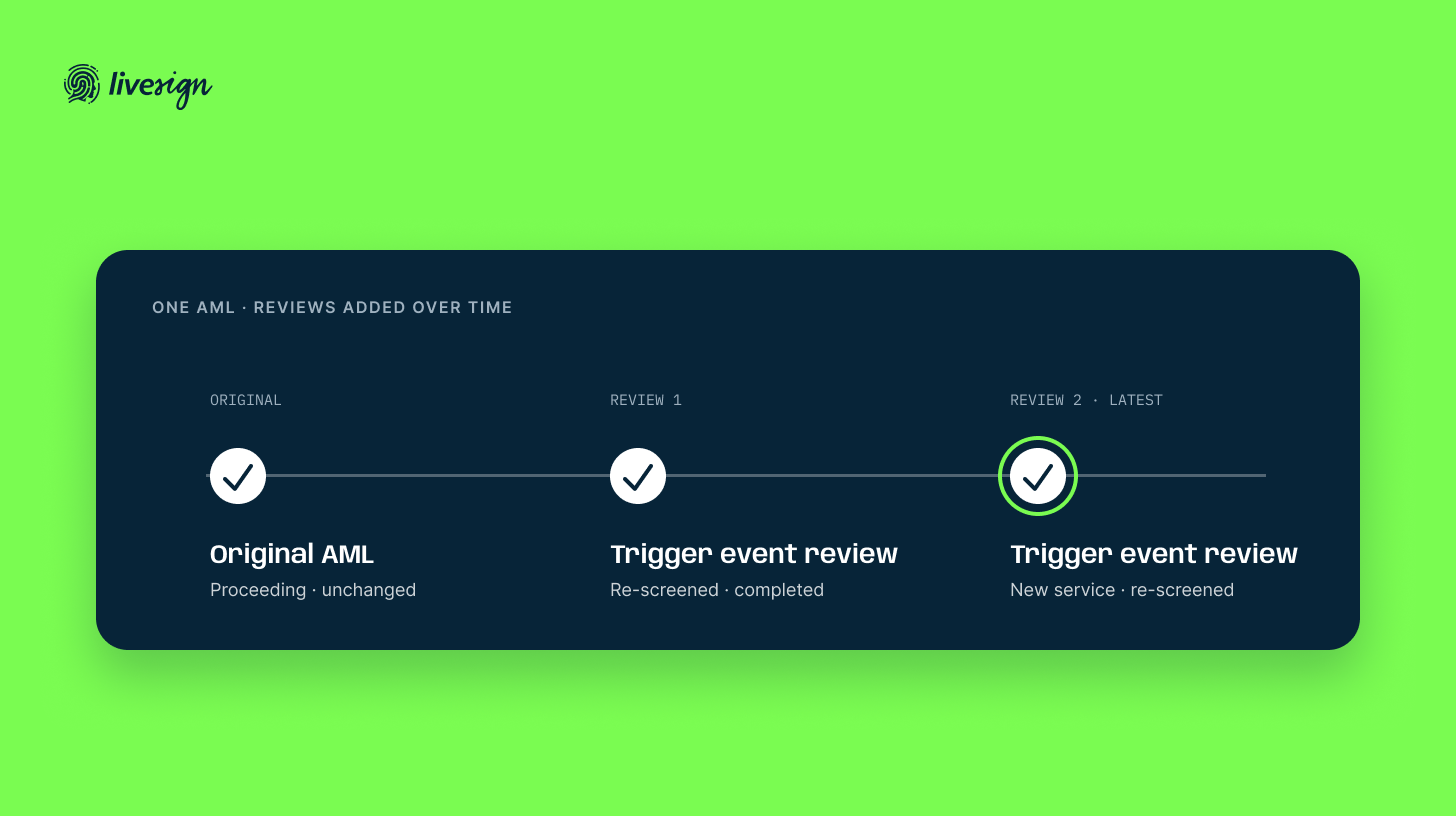
A trigger event review is a dated record you add to a client's existing AML when something changes, such as a new purchase, sale or transfer. It re-screens the people on the AML and records the re-check, with no new verification of identity (VOI). The AML's own status, answers and report stay exactly as they were.
Add a review from the "Trigger event reviews" row on the AML Review tab, once the AML has been cleared to proceed. Record what prompted it and the date you identified it. For a new service, add the transaction type, the property addresses and your reference.
From there:
- Livesign re-screens everyone on the AML for PEP (politically exposed person), sanctions and adverse media. Screening is charged at your account's existing PEP and Sanctions Check rate for each person.
- You check companies and trusts. Livesign lists them for a manual DFAT check.
- Your reviewer answers the risk cards. They're Yes/No questions. Any Yes or changed answer has its reason saved as a file note.
- The outcome follows the answers. If every answer is No and the client isn't High risk, the reviewer completes the review. A Yes, a High risk client or a sanctions match escalates the review, not the AML, through your existing compliance officer and senior manager steps.
Escalated reviews are flagged and filterable on the AML listings page, and a Trigger Event Review Report goes into the AML pack.
Where to find it
Open an AML that has been cleared to proceed and look for the "Trigger event reviews" row on the AML Review tab.
New to Livesign? Book a walkthrough at live-sign.com.


 Solutions OverviewAn overview of our range of solutions and how they work together.Learn more
 Livesign VerifyHow identity verification (VOI) works and when to use it.Learn more
 Livesign DocsHow to send, sign and manage documents digitally.Learn more
 Livesign AMLHow Livesign supports AML/CTF Tranche 2 requirements.Learn more
 About LivesignLivesign’s background, values and why the platform was built for Australian professionals.Learn more
 Who we serveBuilt for conveyancers, lawyers and real estate agents. See how Livesign fits your firm.Learn more
 Who is Livesign?Meet the people behind Livesign and understand the expertise that shapes the platform.Learn more
 How it worksSee how Livesign works in practice; from verifying identity to signing documents and meeting AML requirements.Learn more